





















Message Reception with Mailbox Folder #
Message Reception with Mailbox Folder #
Message Reception with Mailbox Folder #
Message Reception with Mailbox Folder #
Message Reception with Mailbox Folder #
Message Reception with Mailbox Folder #
Message Reception with Mailbox Folder #
Message Reception with Mailbox Folder #
Message Reception with Mailbox Folder #
Message Reception with Mailbox Folder #
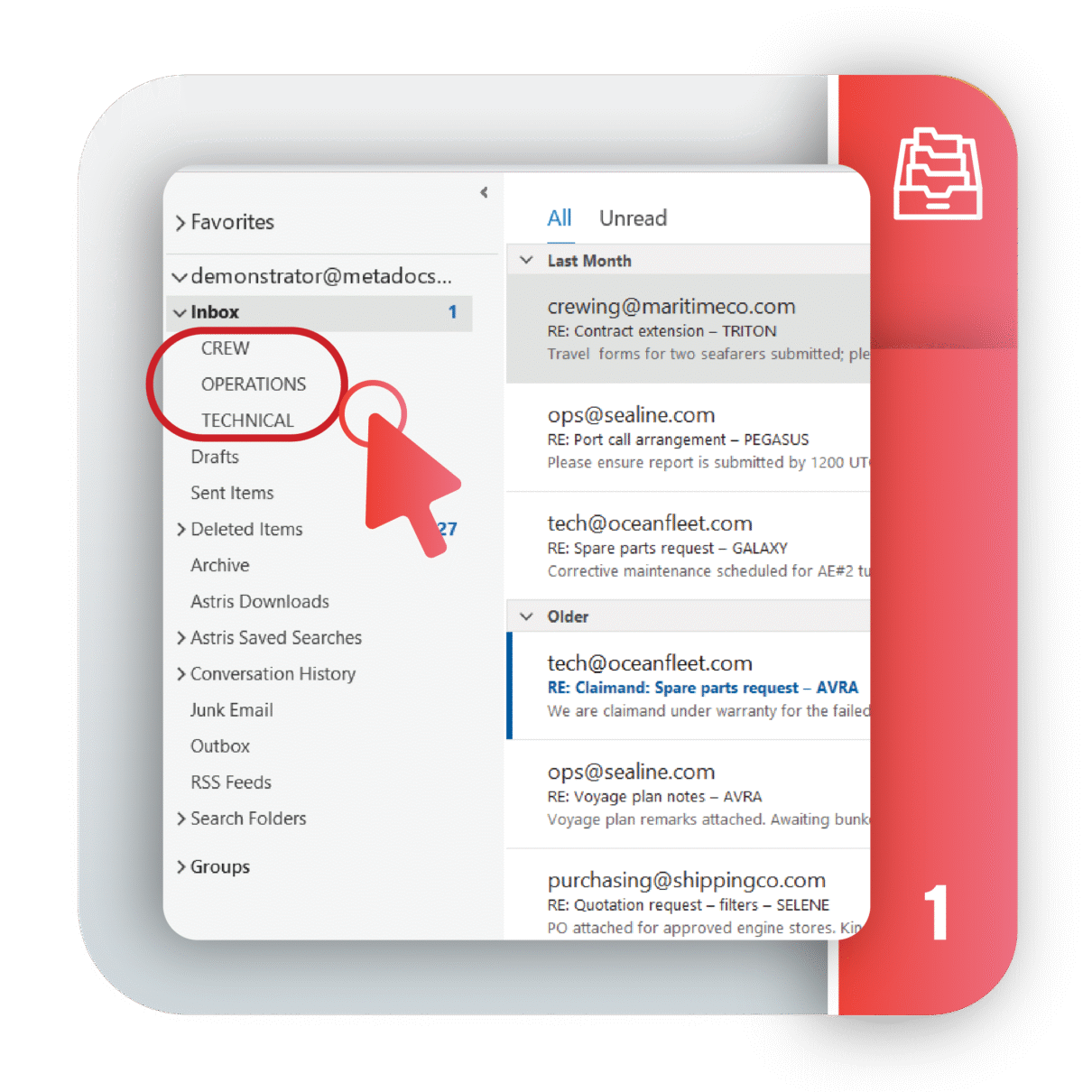
Simplify email reception into structured mailbox folders tailored for departmental and individual needs.
With Mailbox Folders, you can keep critical emails front and center while staying aligned with your team, ensuring clarity and focus in high-volume environments.
Address Rewrite & Change Sender #
Address Rewrite & Change Sender #
Address Rewrite & Change Sender #
Address Rewrite & Change Sender #
Address Rewrite & Change Sender #
Address Rewrite & Change Sender #
Address Rewrite & Change Sender #
Address Rewrite & Change Sender #
Address Rewrite & Change Sender #
Address Rewrite & Change Sender #
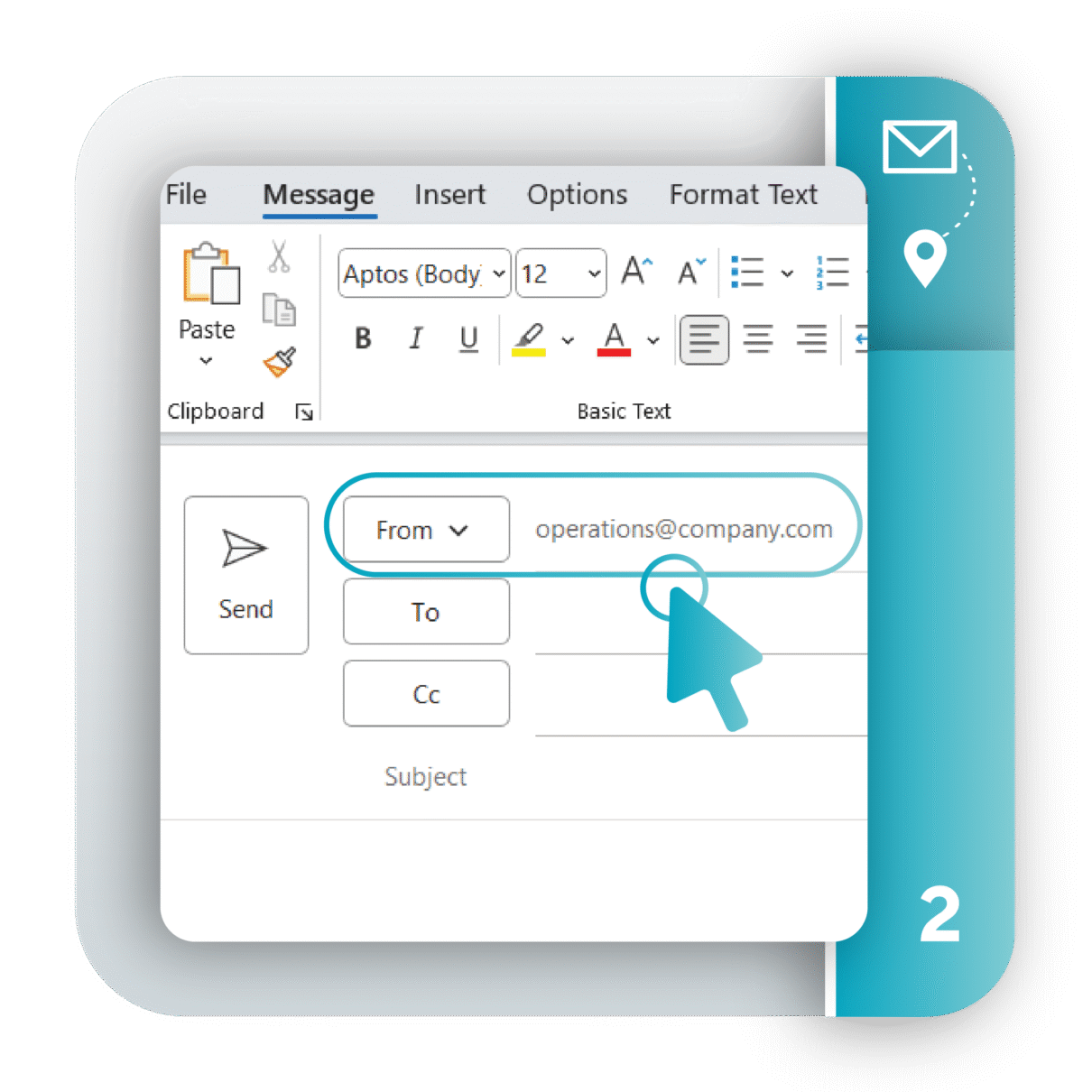
Astris ensures professional and consistent communication by automating sender address management and departmental representation.
Astris ensures all outgoing communications reflect your department professionally, eliminating inconsistencies and streamlining workflows.
Keywords #
Keywords #
Keywords #
Keywords #
Keywords #
Keywords #
Keywords #
Keywords #
Keywords #
Keywords #
Keywords #
Keywords #
Keywords #
Keywords #
Keywords #
Keywords #
Keywords #
Keywords #
Keywords #
Keywords #
Keywords #
Keywords #
Keywords #
Keywords #
Keywords #
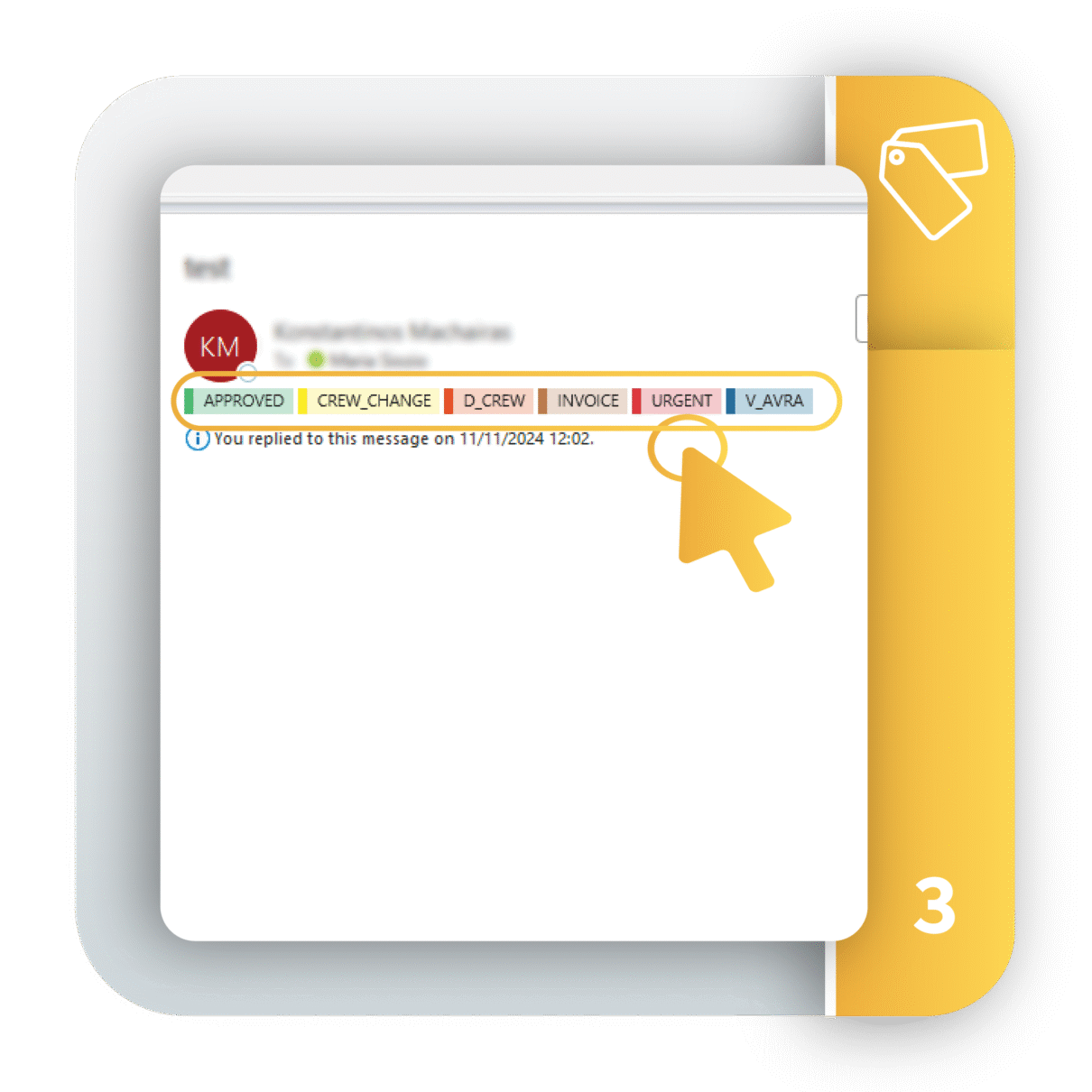
Keywords provide an intuitive way to classify and prioritize emails, improving organization and collaboration across teams.
With Astris Keywords, you can organize and retrieve emails instantly while ensuring your team is always on the same page.
Astris Search #
Astris Search #
Astris Search #
Astris Search #
Astris Search #
Astris Search #
Astris Search #
Astris Search #
Astris Search #
Astris Search #
Astris Search #
Astris Search #
Astris Search #
Astris Search #
Astris Search #
Astris Search #
Astris Search #
Astris Search #
Astris Search #
Astris Search #
Astris Search #
Astris Search #
Astris Search #
Astris Search #
Astris Search #
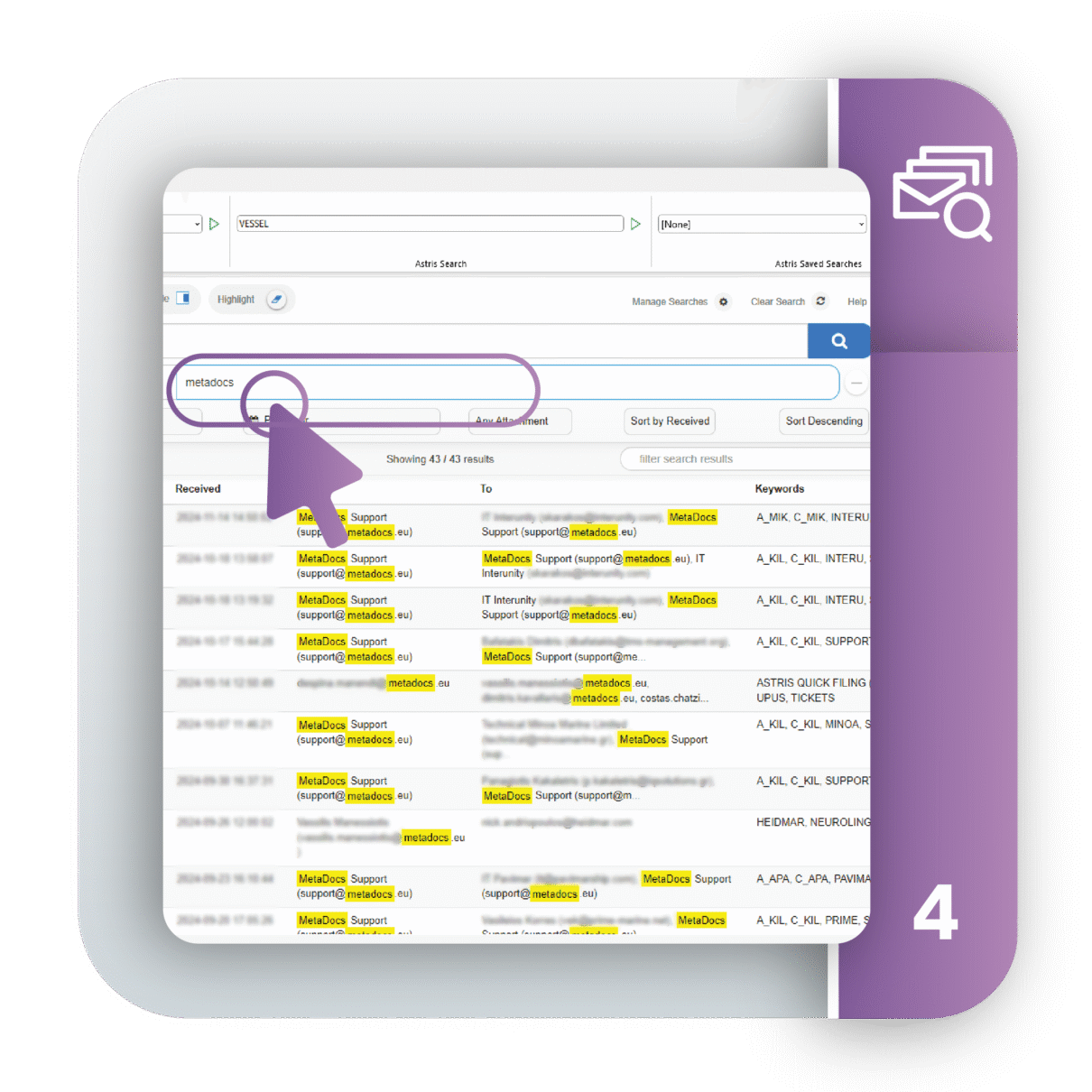
Astris Search solves the frustration of searching within filing folders by providing fast, intuitive access to emails across your organization.
Astris Search empowers you to find the information you need in seconds,reducing the time spent sifting through filing folders, and improving efficiency with Saved Searches.
Astris Library #
Astris Library #
Astris Library #
Astris Library #
Astris Library #
Astris Library #
Astris Library #
Astris Library #
Astris Library #
Astris Library #
Astris Library #
Astris Library #
Astris Library #
Astris Library #
Astris Library #
Astris Library #
Astris Library #
Astris Library #
Astris Library #
Astris Library #
Astris Library #
Astris Library #
Astris Library #
Astris Library #
Astris Library #
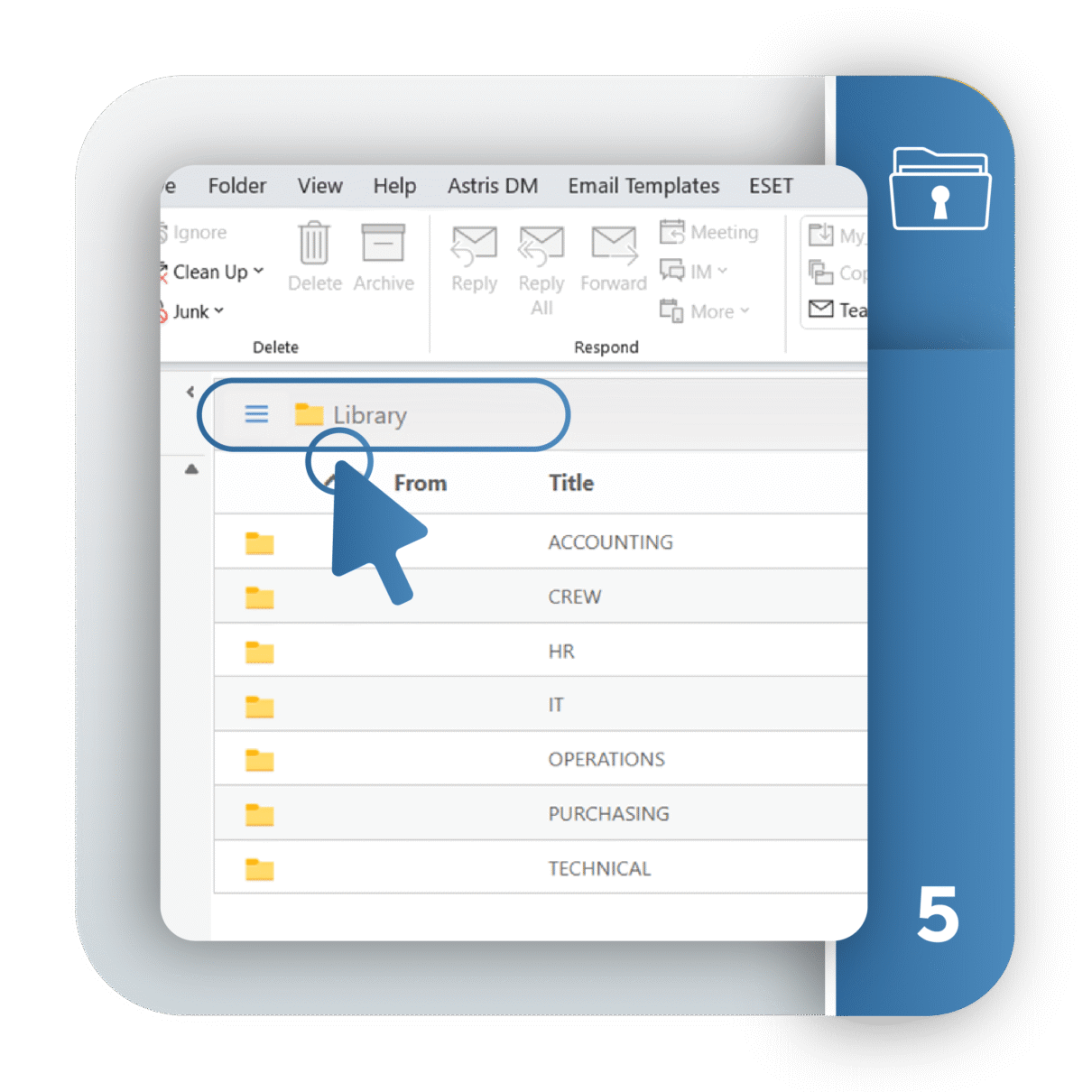
Astris Library provides a versatile and secure solution for managing and organizing archived emails, ensuring accessibility and privacy based on user and department needs.
Astris Library combines secure shared access, personalized organization, and efficient filing processes, enabling teams to stay aligned while maintaining individual privacy.
Astris Columns #
Astris Columns #
Astris Columns #
Astris Columns #
Astris Columns #
Astris Columns #
Astris Columns #
Astris Columns #
Astris Columns #
Astris Columns #
Astris Columns #
Astris Columns #
Astris Columns #
Astris Columns #
Astris Columns #
Astris Columns #
Astris Columns #
Astris Columns #
Astris Columns #
Astris Columns #
Astris Columns #
Astris Columns #
Astris Columns #
Astris Columns #
Astris Columns #
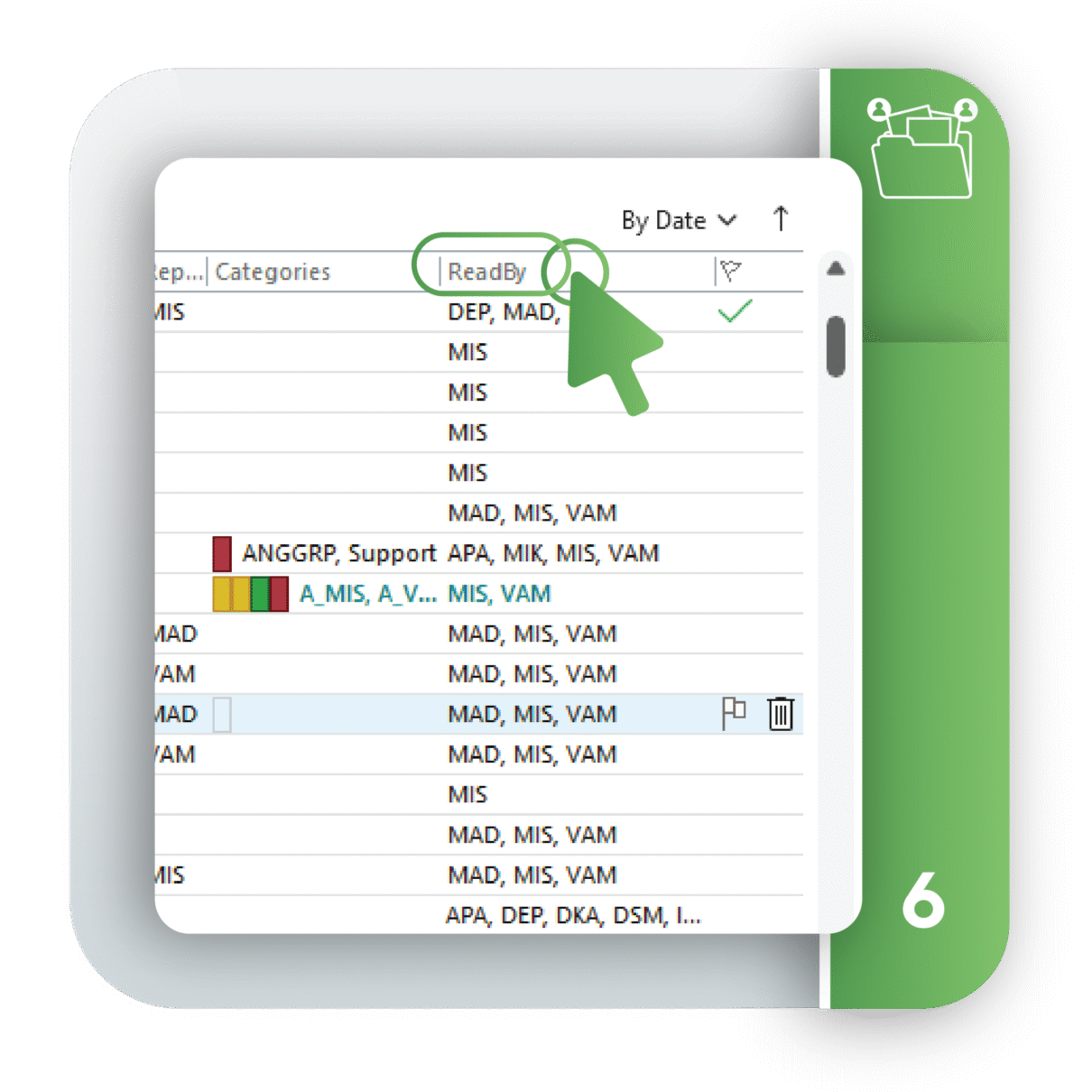
Astris Columns enhance your Outlook view by displaying team-relevant actions and details—bringing transparency and accountability to every email.
With Astris Columns, you no longer need to open emails to understand what’s been done—stay informed, reduce confusion, and keep your team in sync.
Astris empowers maritime professionals to conquer email overload, improve team collaboration, and focus on what matters.
Astris TeamWare Suite is an advanced collaboration platform that helps organisations manage high volumes of emails and documents with ease. It delivers structured archiving, powerful search, and seamless integration with Microsoft Outlook, giving your teams control, efficiency, and compliance in one solution.
Astris works hand-in-hand with Outlook and Office 365. It adds enterprise-grade features like real-time archiving, lightning-fast search, and team-based organisation, turning Outlook into a true groupware solution. Your teams stay productive without leaving the familiar Microsoft environment.
Astris is purpose-built for the maritime shipping industry and related sectors such as ship management, chartering, and marine services. These industries rely on massive email volumes and complex workflows, and Astris ensures reliability, compliance, and speed in every communication process.
Astris is not a standalone system. It’s an add-on that integrates seamlessly with any Outlook deployment across your organisation. This means you keep the Microsoft tools you know while gaining advanced features like:
With Astris, you enhance Outlook without disrupting your existing environment.
